
Seat Leon >> Drowsiness monitor
Introduction
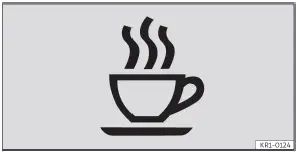
Fig. 7 On the instrument cluster display:
Drowsiness monitor symbol.
The drowsiness monitor integrated into your Seat Leon informs the driver whether his or her steering and driving behaviour is indicative of fatigue or lack of concentration.
The drowsiness monitor continuously evaluates the driver's steering inputs and overall driving behaviour to assess operator fatigue in real time. If the system detects signs that the driver is becoming tired, it signals this visually on the instrument cluster display using a dedicated warning lamp combined with an explanatory text message. It also issues a distinct audible warning chime to capture your attention. The informative text message on the instrument cluster display remains visible for 4 to 6 seconds before clearing.
Operating conditions
To ensure accurate assessments, the drowsiness monitor functions and displays warnings exclusively when your Seat Leon is traveling at speeds exceeding 70 km/h.
WARNING The drowsiness monitor is designed purely as an auxiliary aid and is no substitute for driver attention; it operates strictly within technical system limits. Consequently, the drowsiness monitor may occasionally fail to detect driver fatigue in certain situations, omit a warning entirely, or deliver a delayed or unintended alert. There is a continuous risk of accidents and serious or even fatal physical injuries.
- Always maintain full concentration on the road and do not rely solely on automated assistance systems. The driver remains fully responsible for his or her personal fitness to drive at all times.
- Always keep the inherent functional limits of the system in mind.
- Never attempt to drive a vehicle when you are tired or drowsy.
- During long-distance journeys, take regular, sufficient rest breaks to recover.
- Pay close attention to all notifications appearing on the instrument cluster display and respond promptly as prompted.
System limits affecting the drowsiness monitor
The drowsiness monitor possesses inherent system-related limitations. The following road and driving conditions may restrict the operation of the drowsiness monitor or prevent it from functioning altogether:
- Vehicle speeds below 60 km/h.
- Vehicle speeds exceeding 130 km/h.
- Winding roads with numerous sharp curves.
- Road surfaces in poor condition with heavy potholes or unevenness.
- Adverse weather conditions such as heavy rain, snow, or dense fog.
- Active roadworks and construction zones.
- An aggressive, sporty driving style.
- Towing a heavy or exceptionally long trailer.
- The driver being distracted or failing to maintain steady steering control.
Note The drowsiness monitor has been engineered and optimized for use exclusively when driving on major motorways, highways, and well-maintained main roads.
Restarting the drowsiness monitor
The drowsiness monitor automatically resets and restarts its baseline calibration under the following operational situations:
- Whenever the ignition is switched off.
- If the driver's seat belt is unbuckled and the driver's door is opened.
- If the vehicle has been parked or brought to a complete stop for more than 30 minutes.
Driving with the drowsiness monitor
Connection and disconnection
Depending on regional market specifications, the drowsiness monitor on your Seat Leon is activated automatically every time the vehicle's drive system is turned on. When this occurs, the central infotainment system displays a comprehensive overview of active assistance systems and automatically engaged functions within the configuration menu.
If desired, you can manually switch off the drowsiness monitor through the infotainment system interface:
1. Open the Assistance systems menu on the central touchscreen.
2. Switch the drowsiness monitor on or off in the corresponding submenu.
Sensitivity adjustment
You can manually adjust the reaction sensitivity of the drowsiness monitor, thereby influencing how quickly the system detects deviations in your driving behaviour and triggers an alert.
Within the infotainment system:
1. Open the Assistance systems menu.
2. Navigate to the Drowsiness Monitor section.
3. Select your preferred system sensitivity level in the Sensitivity submenu ››› page 40.
Concealing messages via the multi-function steering wheel
1. Press the OK button located on the multifunction steering wheel to dismiss active alerts.
Drowsiness monitor warning levels
If the system detects that the driver is becoming tired during a journey in your Seat Leon, it indicates this visually on the instrument cluster display by means of a dedicated control or warning lamp in combination with a supplementary text message and an audible warning chime. The fatigue warning is issued progressively across three distinct levels.
Drowsiness monitor warning - Level 1
 The system has detected early signs that the driver is becoming tired. A discreet audible signal sounds.
A white control lamp and an informative text message appear simultaneously on the instrument cluster display.
Consider taking a rest break at the next safe opportunity.
Drowsiness monitor warning - Level 2
 The system has detected that the driver is becoming increasingly tired. An audible warning signal sounds. A red warning lamp lights up on the instrument cluster display together with an urgent text message. Consider taking a break soon.
Drowsiness monitor warning - Level 3
 Serious risk of severe driver fatigue identified. A continuous audible signal sounds. A prominent red warning lamp is shown on the instrument cluster display alongside an urgent text message indicating a serious traffic safety risk.
Stop driving your Seat Leon as soon as safety permits and proceed urgently to the nearest service station or safe place where you can take a proper break.
Time-related information
 The drowsiness monitor detects that the driver has been continuously operating the vehicle for 4.5 hours without taking a break and without any prior fatigue triggers recorded. A white control lamp and a text message appear on the instrument cluster display. Consider pulling over to take a break.
Troubleshooting
 Availability of the
drowsiness monitor is
restricted
An audible signal sounds. A yellow control light appears along with an explanatory text message on the instrument cluster screen, indicating that the operational availability of the drowsiness monitor is temporarily restricted.
- Possible temporary fault or sensor malfunction. Deactivate and reactivate the vehicle drive system.
- If the problem persists, visit a duly qualified service workshop. SEAT recommends that you visit an official authorized dealer.
 The drowsiness monitor is
not available
An audible signal sounds. A yellow control lamp appears in combination with the central yellow warning indicator. A text message is also displayed on the instrument cluster screen and within the infotainment vehicle status menu.
- System fault or malfunction. Deactivate and reactivate the vehicle drive system, and check the drowsiness monitor configuration settings in the infotainment system menu.
- Operating limits of the monitoring system have been exceeded due to external factors.
- If the problem persists, visit a duly qualified workshop. SEAT recommends that you visit an official dealer.
 Service intervals
The service interval indicator appears automatically on the instrument cluster screen as well as within the central infotainment system interface.
Because different versions of instrument clusters ...
 Driver attention monitor
Introduction
Fig. 8 On the instrument cluster display: Driver
attention monitor symbol.
The driver attention monitor integrated into your Seat Leon informs the driver whether his or her driving b ...
See also:
Removing and installing sliding panoramic
sunroof seals
Removing and installing exterior seal for rear glass panel
Removing
Pull seal -2- off rear glass panel -1- all round.
Remove any adhesive residue with adhesive strip remover -
VAS 6349- .
...
